Sound familiar?
Four reasons a clinic loses patients even when its doctors are good. One part of the solution fixes each of them.
A patient couldn’t get through and booked somewhere else
Fix: online booking on the site and in the bot works around the clock. After a missed call the patient gets a message at once, and the front desk gets a reminder to call back.
Patients forget their appointment and the chair sits empty
Fix: the bot reminds them a day and two hours before. The patient confirms or moves the visit with one button, so a freed slot can go to someone else.
On a phone, prices and booking are hard to find
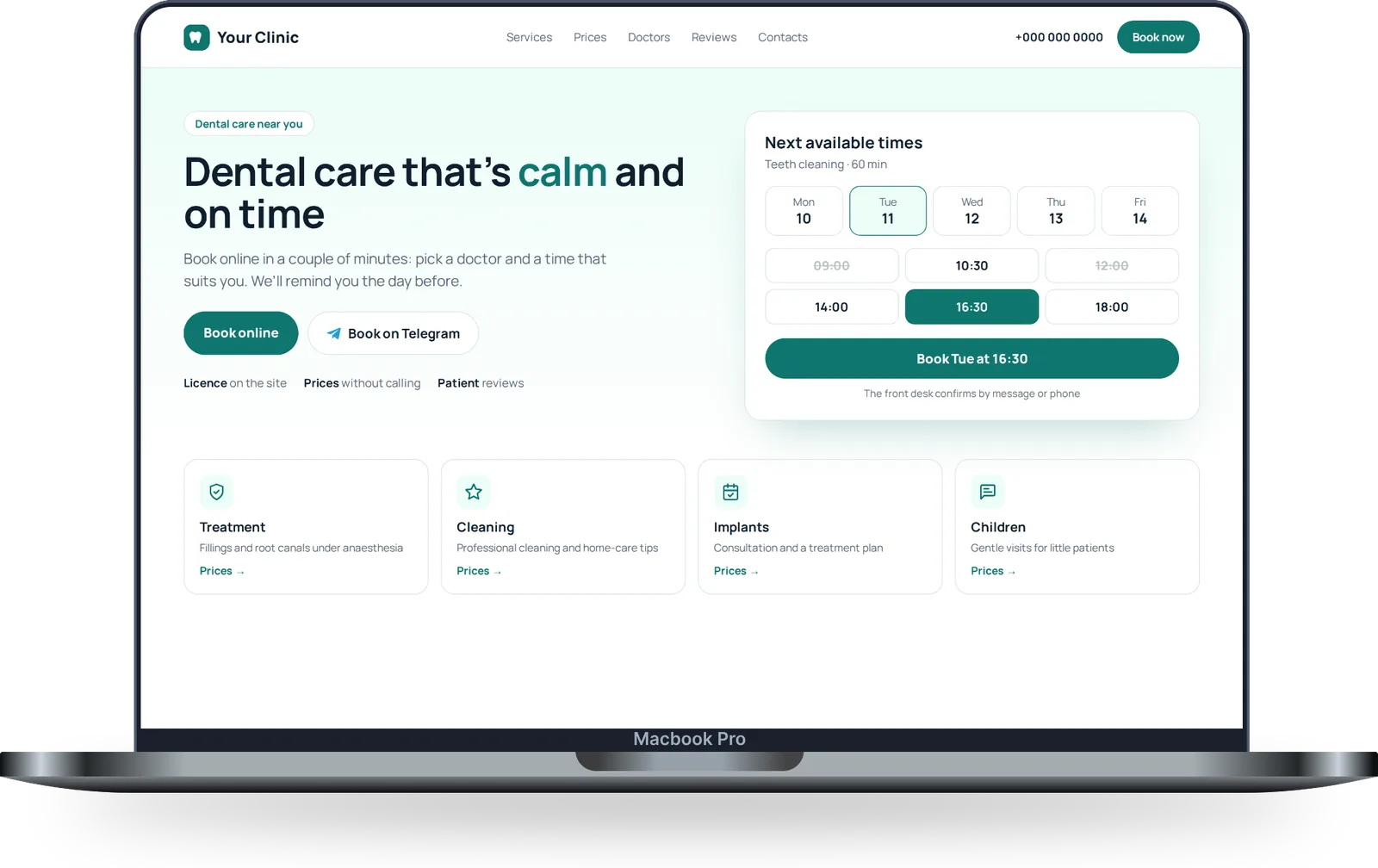
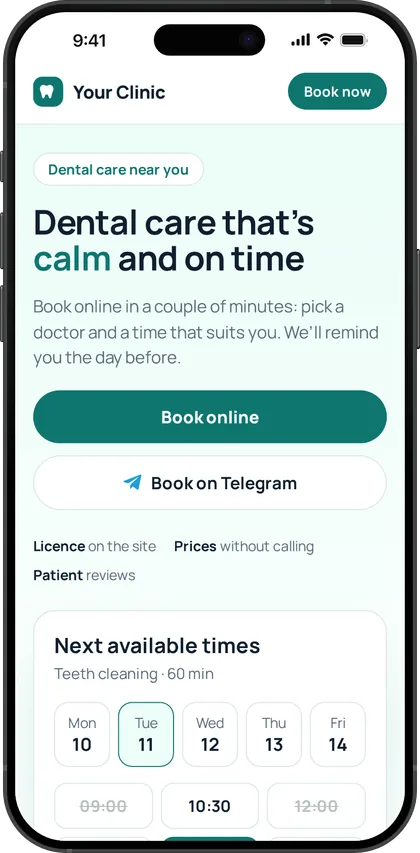
Fix: the new site is built for phones first. Services and prices, doctors, licence and booking are in plain sight, no zooming or searching.
Happy patients leave without a word
Fix: after the visit the bot asks for a review on Google Maps, Yandex Maps or 2GIS. Fresh reviews help new patients choose you.
What it looks like
One patient’s path, from booking to review. The front desk doesn’t chase calls or messages in different apps: everything arrives in one chat.
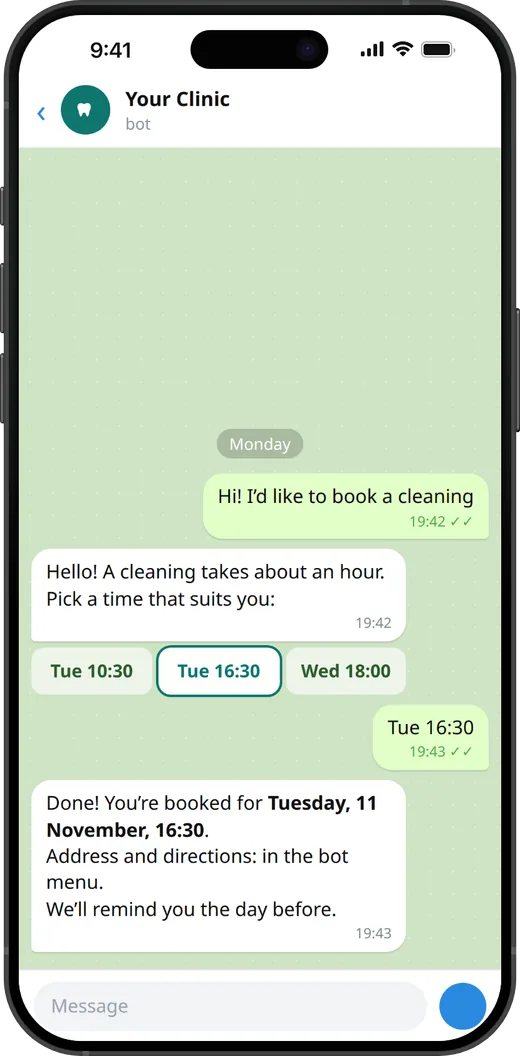
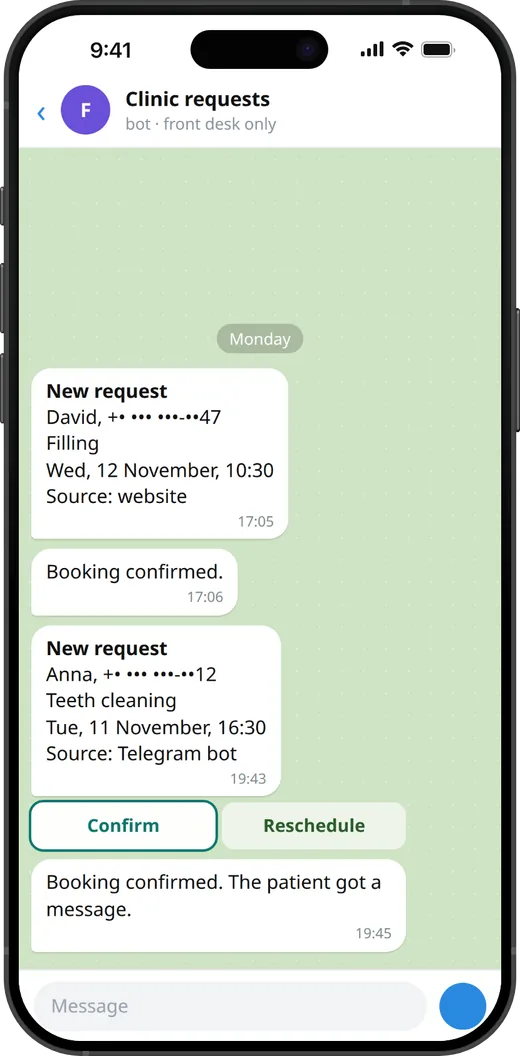
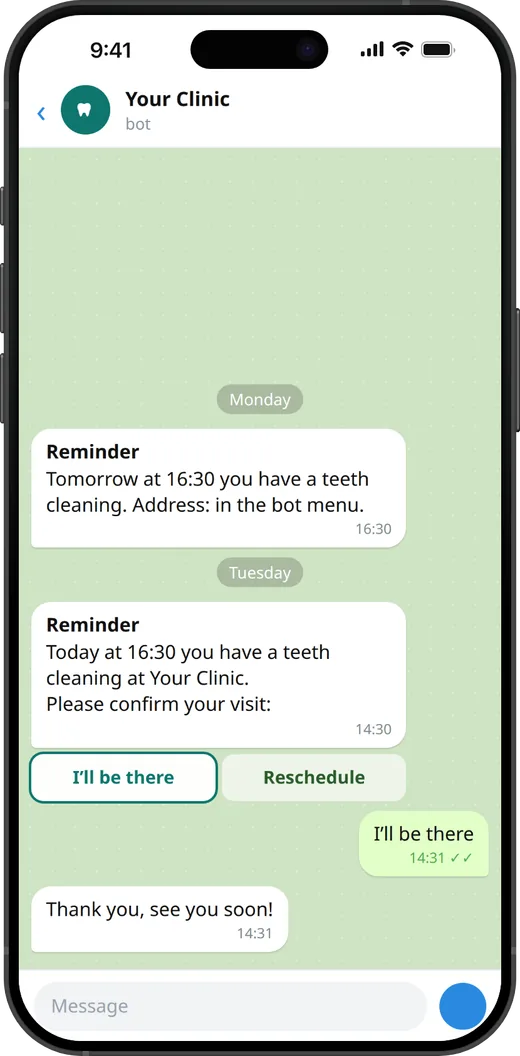
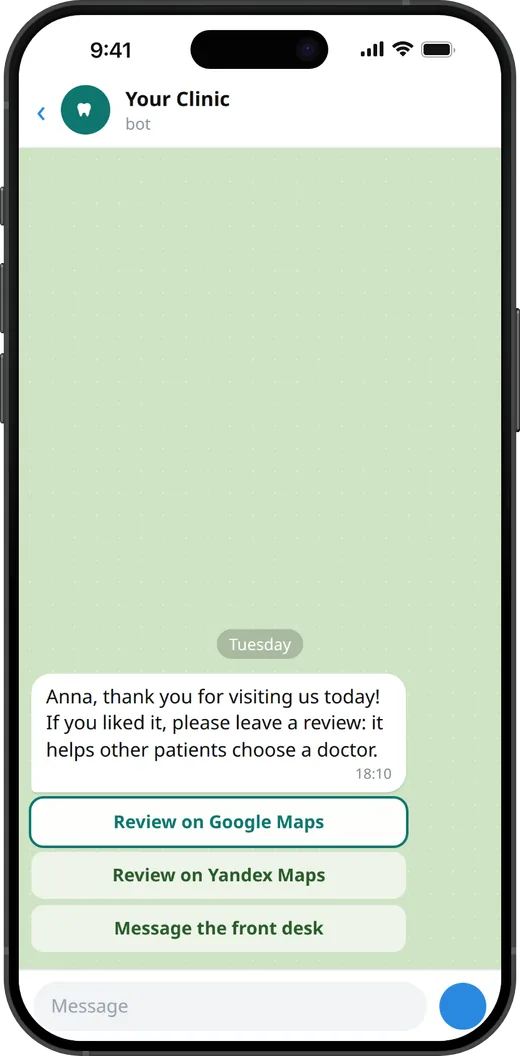
An illustration of how the bot works. Texts, buttons and reminder times are set up for your clinic. It runs in the messenger your patients use: Telegram and MAX in Russia, WhatsApp or Telegram elsewhere. Patients without it book on the site or by phone, as before.
Two steps. You can start without a new site
Step 1 · about two weeks
Booking, bot and reviews on your current site
- Online booking. The patient picks a free time on the site or in the bot, the front desk confirms in one click.
- A messenger bot. Answers common questions: address, hours, how to prepare for a visit. SMS as a backup.
- Reminders a day and two hours before, with one-button rescheduling.
- Reviews after the visit: a link to Google Maps, Yandex Maps or 2GIS.
- Missed-call reply: the patient gets a message with a booking link at once.
Step 2 · 3–4 weeks
A new site or a refreshed home page
- Phone first. The first screen says what matters: what you treat, where you are, your rating.
- Booking in one tap: the Book button is always within reach.
- Prices, doctors and reviews in plain sight, plus licence details and the required documents.
- In the style of your logo. The front desk updates prices and offers without calling a developer.
What it can bring the clinic
An example, not a promise. We work out the real numbers together from your data: how many requests, calls and no-shows you have each month, and your prices.
Reviews are not counted here, although they are what helps new patients choose you.
How we work
Built for medical rules
- Patient data is stored where local law requires it (in Russia, on servers in Russia under 152-FZ).
- Separate consents for personal data processing and a privacy policy.
- Licence details and a contraindications notice on the site.
- The bot never collects diagnoses or health data: only bookings and reminders.
Add-on services
Order them on their own, without a new site, or add them to monthly support.
Website and search 5
- Website audit. Speed, how it looks on a phone, SEO and the path to booking, with findings in a PDF.
- Website support. Hosting, updates and small edits, so the site runs without your involvement.
- Blog articles. On treatments and patients’ common questions, written for search. A doctor at the clinic checks each one.
- Answers in AI assistants. FAQ content and markup on the site, so the clinic is easier to find in answers from Google, ChatGPT and Yandex.
- Price calculator. Patients see an estimated cost themselves, for example for implants or braces.
Booking and patient contact 3
- Online booking on your current site. Booking buttons or a calendar linked to the clinic’s software.
- Messenger bot. Appointment requests, answers to common questions, a reminder the day before, rescheduling.
- Missed-call reply. If the clinic couldn’t pick up, the patient gets a message at once and the front desk gets a reminder to call back.
Reviews and numbers 3
- Review collection. A review request after each visit and QR stands at the front desk.
- Reputation monitoring. I watch new reviews and mentions and flag negative ones right away.
- Analytics and an owner report. Web analytics with goals and a one-page report each month: requests, no-shows, reviews, rating.
Design and print 5
- Brand style. A refreshed logo, colours and fonts, templates for posts and documents.
- Print. Brochures, business cards, appointment cards, a front-desk price list, flyers.
- Gift certificates. Popular before holidays.
- Merch. Toothbrush kits, staff T-shirts, mugs, bags.
- Clinic signage. Signs, door stickers, posters and stands for the waiting area.
Who does the work
Moustafa Elkoushy, web developer and automation specialist, Moscow.
I designed, built and run ritorica.com on my own: design, code, texts and SEO. For clinics I do the same, set up around patient bookings.
Common questions
How much does the concept cost?
Nothing. The concept doesn’t commit you to anything: if you don’t like it, you simply keep it.
What if a patient doesn’t use the messenger?
They book on the site or by phone, as before. The bot is one more convenient way in; it doesn’t replace calling the clinic.
Do we need to change our clinic software?
No. Requests reach the front desk in the messenger, and they confirm each one in one click. Linking to the schedule in your clinic software is discussed separately.
What do you need from the clinic?
A list of services with prices, information about the doctors and photos if you have them. The clinic approves all texts about medical services. I do everything else.